🔎 Watchlist
Use the Watchlist to easily track token performance and activity, without needing to hold the token.
Interface

Add to watchlist
- Clicking ⭐️ on the far-left end will add the token to your 'Watchlist' panel.
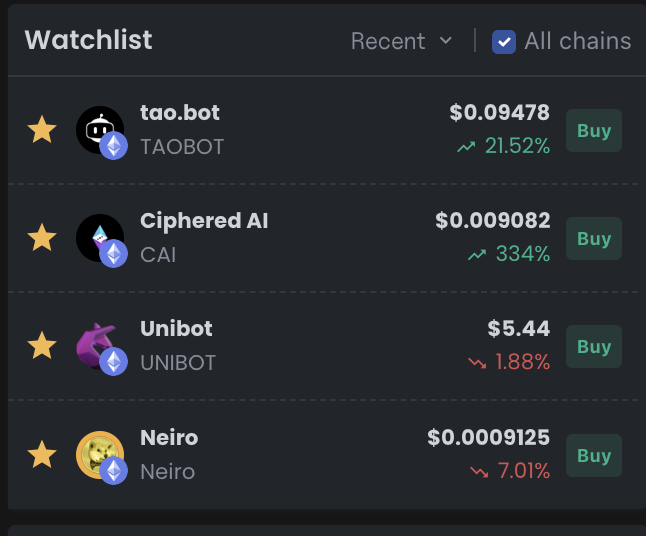
Watchlist with tokens added
- Token - Clicking the token name opens the graph of that token.
- Delete - Click the yellow star ⭐️ icon on the watchlisted token to remove it from the watchlist.
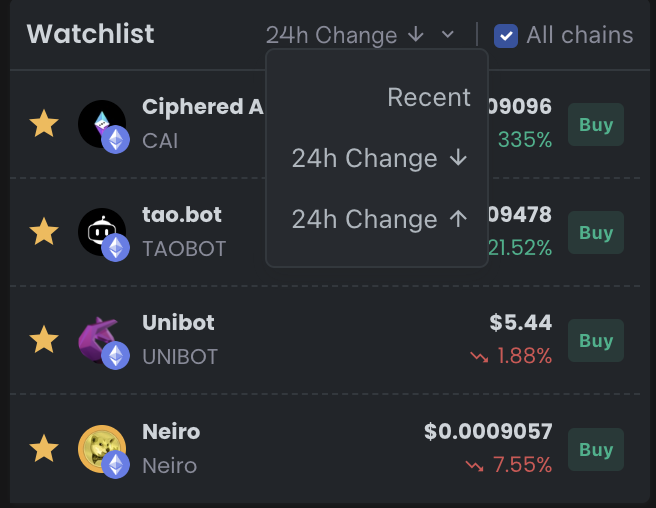
Organize watchlist based on 24 change
- Organize watchlist - You can organize your watchlist based on the % change in token price over the last 24 hours or based on the most recent token added to the watchlist.